
AI Prospecting for a B2B SME: How We Use Clay and Claude Code
Grow your sales pipeline with personalised, automated prospecting: AI prospecting for a B2B SME with Clay and Claude Code, and when it pays off.

By Maxime Pudzeis, Founder, Kaizen Agency
· 14 min read
On this page
- Do you need this at your size?
- What AI prospecting is, and what it is not
- How to choose a B2B prospecting tool: six questions
- The stack at a glance
- Clay: the data workbench, not the brain
- Claude Code: where the judgement and the checks live
- lemlist and the CRM: sending, and who not to contact
- What we ruled out, and why
- Mistakes we see companies make
- Our own mistakes when we started
- Where the tool stops and the system starts
- How this article was written
- FAQ
- One last thing
AI prospecting, as we run it at Kaizen, uses three tools with one job each. Clay holds the data: company and contact tables, and an email search that asks several data providers one after the other until one finds the address. Claude Code holds the judgement: it checks every account against the ideal customer profile, scores it, writes the lines that change from one prospect to the next, and runs each step as a script. lemlist sends, by email and on LinkedIn. None of the three makes the result on its own. The result comes from the order of the steps and the checks between them: no paid contact data bought for an account that failed the profile check, no AI instructions run on the whole list before a sample was corrected by hand, and every campaign uploaded as a draft until a person launches it by hand. That is the difference between owning a prospecting tool and running a prospecting system.
If you came for a list of skills to try one by one, the top 20 Claude skills for cold email has them, with install commands. This article is the layer above: how the tools fit together, and what breaks when they don't.
The Clay and lemlist links in this article are partner links: we may earn a commission or credits if you sign up, at no extra cost to you. Our verdicts do not depend on them.
Each tool does one step. The check decides whether the next step runs.
Claude Code checks each account against your ideal customer profile and scores it.
Check: only accounts that pass go on. Nothing paid runs before this.
Clay finds the LinkedIn profile, then the email, asking several data providers in turn.
Check: every email verified before it reaches the sending tool.
Claude Code fills the variable lines of a template written once per segment.
Check: one sample corrected by hand, then rounds of ten, until two rounds need no edit.
A script loads it into lemlist as a draft, then reads it back.
Check: a person launches it by hand. No tool does.
Deliverability on Monday, replies on Wednesday, review on Friday.
Check: every correction becomes a written rule the next campaign reads first.
Do you need this at your size?
Not always, and not first. This setup pays off when three things are true:
- you can name the kind of company that buys from you, from deals you already won;
- your market is big enough to list those companies, even if it is only a few hundred;
- someone on your team can answer the positive replies and take the calls.
If new clients come only through your network and you have two salespeople, start elsewhere: with the list and the offer. The list comes from your closed deals. The offer says which problem you remove, in the buyer's own words. A tool sends faster what you already have. It does not fix a vague list or a vague offer.
A small market changes the setup, not the logic. A few hundred named accounts get deeper research per account and a small sending setup of two or three domains, never volume. And for a list under 500 people, the AI writing adds nothing to the bill: it runs inside the Claude Code subscription.
What AI prospecting is, and what it is not
AI prospecting means using AI for the work a person can't do one prospect at a time at volume:
- check whether a company fits your ideal customer profile;
- read its website and find a reason to write now;
- write the one or two lines that change from one prospect to the next.
It is not a tool that finds clients on its own, and it is not a robot that sends while you sleep.
Three things get mixed up under the same name. Automation follows rules and does the same thing every time. AI that reads and writes makes a judgement on each row. Agents act on their own. We use automation for everything that has one right answer, AI only where a judgement is needed, and we give no agent the send button. In one line: AI does the per-row judgement, scripts do the rest, a person decides to send.
How to choose a B2B prospecting tool: six questions
Before you compare features, ask each tool six questions.
- Which step does it do? Data, judgement, sending or memory. A tool that claims all four usually does one of them well.
- Does it know your market? Test it on 50 companies you already know. Count three things: companies found, decision-makers given, people still in the job.
- Can you put a check before each paid action? If a tool spends credits, its billing unit for each lookup, the moment a new row appears, you pay for rows you never wanted.
- Who presses send? A person should. A draft you can read back is worth more than a promise of autopilot.
- Do you keep the list when you stop? Your accounts, who was contacted and with which angle should live somewhere you own.
- What does it report? It should be positive replies per email sent. Opens and "messages generated" count activity, not results.
The stack at a glance
| Step | Tool | What it does for us | Where it stops |
|---|---|---|---|
| Build and score the list | Claude Code, with Sales Navigator, Apollo, Prospeo or a CSV as sources | Checks every account against the ideal customer profile and scores it | It only knows your best clients if you give it your closed deals |
| Find and verify contacts | Clay, then an email verifier | LinkedIn profile first, then an email search across several providers in turn, plus lookups in your CRM | Credits go fast when a paid lookup runs before anyone limits which rows it may touch |
| Find the reason to write now | Claude Code, reading the open web | Hiring, news, changes on the company's own site, for free | It finds what is public, nothing more |
| Write | Claude Code | One template per segment, the changing lines per prospect, checked on a sample first | It writes well only what it has been shown |
| Send | lemlist | Email and LinkedIn steps, loaded as a draft | It does not decide who should get the message |
| Remember | Your account database and your CRM | Who was contacted, when, with which angle; customers and open deals excluded | It is only as good as the weekly update |
Clay: the data workbench, not the brain
 Clay works like a spreadsheet where each column is a step that runs on every row, and it bills each lookup in credits. It describes its email search as a way to "combine multiple data providers for the best coverage", and it can also research companies with AI. We use Clay for one thing only: the data we can't get elsewhere. That means the email search across providers, and lookups in the client's CRM.
Three habits make the difference:
- LinkedIn profile first, email second. Email finders match much better when they get the profile URL.
- Formulas for anything with one right answer. Cleaning names, extracting a field, merging two columns: a formula gives the same result every time and costs no credits.
- One company table and one people table per client, shared by every campaign, so nobody pays twice for the same account's data.
When a step needs judgement, it is billed to the client's own AI account, not paid in Clay credits. Sorting thousands of companies at a time runs outside Clay altogether. Clay is where the operator works, not where the rules live. The rules live in files we keep and version, and Clay receives them.
Claude Code: where the judgement and the checks live
 Claude Code is the tool that does the repetitive work: it compares each company with your ideal customer profile, writes the few lines that change from one email to the next, and runs the same step again every week without a person redoing it by hand. Anthropic built it for software, as a tool that "reads your codebase, edits files, runs commands". We point it at prospecting files instead of code.
The engine is a set of agents and scripts that Claude Code runs one stage at a time. Each stage writes its own file:
- the raw list, then the list with contact data;
- the signals, then the scored list;
- the contacts and their profiles;
- the personalised lines and the sequences;
- the export for the sending tool.
The state lives in files, not in a chat, so any stage can be checked, rerun or stopped. The judgement stays with the AI. Every action in an outside tool goes through a script, a small program written once and tested.
The writing follows a fixed loop:
- One sample, corrected by hand.
- Rounds of ten, run in parallel.
- The instructions are frozen after two rounds in a row with no edit.
- Only then, the full list.
Claude Code writes one template per segment, and AI only fills the lines that change from one prospect to the next. No model writes a whole email freely for each row. For a list under 500 people, the writing runs inside our Claude Code subscription: a small batch costs nothing extra in AI services.
lemlist and the CRM: sending, and who not to contact
 lemlist reaches prospects by "email, LinkedIn, calls, WhatsApp, and SMS", and connects natively to HubSpot, Salesforce and Attio. We use it for the sending, and we keep it away from every decision that comes before.
A script creates the campaign and adds the leads as a draft. The campaign's ID goes back into the campaign file. Every change is checked afterwards, because a tool answering "done" is not proof that anything changed. Campaigns created automatically in lemlist can start out already active, so the script pauses them the moment they are created, and checks.
Before any of that, the client's CRM removes the people who must not get a cold message:
- customers;
- open deals;
- qualified leads already in talks.
Emails go out in plain text, at most 30 per inbox per day, from inboxes warmed for 4 to 8 weeks. Rules on prospecting differ by channel and by country, so each campaign records which ones it follows.
Replies are sorted every week. An unclear reply is filed as unclear, never as "not interested". The positive replies go to the client's team, who answer them and take the calls.
What we ruled out, and why
Some of what we dropped looked like the smart move at first.
- AI writing a whole email per prospect. Nobody can review a thousand different emails. A template per segment is reviewed once, and AI fills only what changes.
- Personalisation written by an AI step inside Clay. That step runs on every row before anyone has read a sample. Our own writer goes through the sample loop first.
- AI for work a formula does. Name cleanup, extraction, merging: a formula never guesses.
- Large AI batches paid in Clay credits, or run on Claude itself. Classifying thousands of companies runs on a cheap open model on rented servers. Claude keeps the judgement and the cases that model can't decide.
- Buying signal data before reading the free web. Hiring pages, news and the company's own site come first.
- Any tool that sends or writes on its own. Every change in a tool goes through a script that checks the result afterwards. The launch stays human.
Mistakes we see companies make
We see the same set-up mistakes again and again in companies that run these tools on their own. None of them is a copywriting problem.
- A paid lookup that runs before its limits are set. In Clay, each column can carry a rule that says which rows it may run on, and it runs the second that rule is met. Load the data before those rules are set on the paid columns, and they all fire at once: thousands of credits gone in one go. Fix: set the rules first, load the data second.
- An AI classifier that overrules a list a person has curated. It quietly skips good leads, often because the company's domain is missing. Fix: CRM exclusions come first, and a list curated by a person outranks the classifier.
- Looking for the email before the LinkedIn profile. Email finders match far better with the profile URL. Without it, a large share of the emails is never found. Fix: profile first, then the email search.
- Matching keys sent as display names. The lowercase company name used to match records ends up in the email. Fix: a separate display name, with proper case and the legal suffix removed, before anything goes to the sending tool.
Our own mistakes when we started
We made our share of them too. Here are three from when we started running campaigns this way, and the rule each one left behind.
- We paid several times for the same email address. We had chained email providers by hand in Clay, each one set to run only if the one before found nothing. To add a check, we replaced those rules in one batch. Every provider then ran on every row, and each one billed for the same address. It cost us thousands of credits for emails we already had. The rule we wrote: use Clay's ready-made chain, or add a new rule next to the existing one, never in its place.
- We pushed hundreds of rows without testing one. The sending tool rejected hundreds of them as duplicates. In the same run, an email verification file came back empty with no error at all, so it looked like a success. A single test row would have shown both in seconds. The rule: one row first, every time we write somewhere new, and a write that fails or does nothing stops the run until it is fixed.
- Our first campaigns created automatically in lemlist were already active. We expected a draft. A campaign nobody had read could have started sending. The rule: the script pauses every campaign the moment it is created, then checks its state before anyone moves on.
Where the tool stops and the system starts
A tool does one step. The system decides which step comes next, and what happens when one fails. Concretely:
- An account database the client owns. Every account, who was contacted, when, with which angle. The best accounts are never burned: they rest, then come back with a new angle.
- A weekly rhythm. Deliverability on Monday, replies on Wednesday, review on Friday.
- Written scars. Every correction becomes a rule in a file that every new campaign plan must read before it is proposed.
- One number. Positive replies per email sent.
The client owns the infrastructure:
- the domains;
- the inboxes;
- the tool accounts.
We build it and run it.
For one of our clients, we built the brand and the whole go-to-market, outbound, paid and inbound, as one engine, starting with no budget, no team and no brand. Qualified pipeline went from €0 to €3M in 18 months, and the sales cycle from 12 to 5 months. No tool did that. The offer was rewritten to sell the problem the product removes, and every channel worked from it. That system is what the Acquisition part of the GOALS method installs.
How this article was written
Written by Maxime Pudzeis, founder of Kaizen Agency. Kaizen installs and runs this stack for B2B SMEs. It is not a software vendor and none of the tools named belongs to it. The stack, the checks and our own incidents come from our engine and our campaign logs. The other mistakes are patterns we have seen in companies running these tools. No client or company is named. Facts about Clay, Claude Code and lemlist come from their own websites, checked on 1 October 2026. Prices are left out: they change often, and this site publishes none.
FAQ
What is AI prospecting?
AI prospecting is using AI for the per-prospect work a person can't do at volume: checking fit with your ideal customer profile, finding a reason to write now, and writing the lines that change from one prospect to the next. The list, the sending and the follow-up still need tools and people around it.
Which B2B prospecting tool should a small team start with?
Start with the step that is broken, not the tool with the best demo. No list you trust: start from your closed deals and one data source, as in how to define your ideal customer profile. A list but no replies: work on the reason to write and the lines that change.
Can AI replace a salesperson?
No. AI does the per-row work: checking fit, finding the reason to write, filling the lines that change. The salesperson answers the positive replies and takes the calls. In our setup, the client's team does exactly that.
Is Clay worth it for a small B2B company?
Clay bills each lookup in credits, and when several providers are chained, each one that runs uses its own. It pays off when you need data that no single provider covers, and when someone limits which rows each paid step may touch before the first run. For a short list from one source, one provider is often enough.
Can you automate prospecting from end to end?
Most of it, yes: list, scoring, contact data, writing and loading. Two steps stay human on purpose: approving the first sample of messages, and launching the campaign. A campaign nobody read before it went out is how domains get burned and good accounts get a bad first email.
Do you need Claude Code, or is ChatGPT enough?
ChatGPT is enough to draft a line or think through an angle. Claude Code works on your files: it runs scripts, writes each stage to a file, stops at the checks you set, and connects directly to tools such as Clay and lemlist, which both offer a connector for it. The difference is not the writing. It is running the same process the same way every week.
How long before the first results?
If your sending inboxes are new, they warm up for 4 to 8 weeks before the first real send. The list, the scoring and the first sample get built in the meantime. The full timeline is in how long outbound takes to work.
One last thing
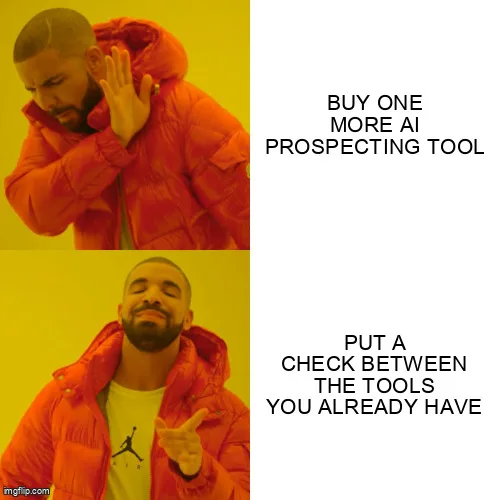
Before you buy the next tool, write down the checks that run between the tools you already have. If that list is empty, the next tool will fail in the same place as the last one.
Want to see where your own prospecting leaks today? The 4-minute diagnostic shows it. If you'd rather have the system installed and run with you, our Core and Scale offers start with this stack. Or get in touch to walk through your setup.