
Why Your Cold Emails Get No Response (or Land in Spam)
A cold email with no response, or one landing in spam, fails one of four checks. See each one in order, how to test it, and the fix.

By Maxime Pudzeis, Founder, Kaizen Agency
· 9 min read
On this page
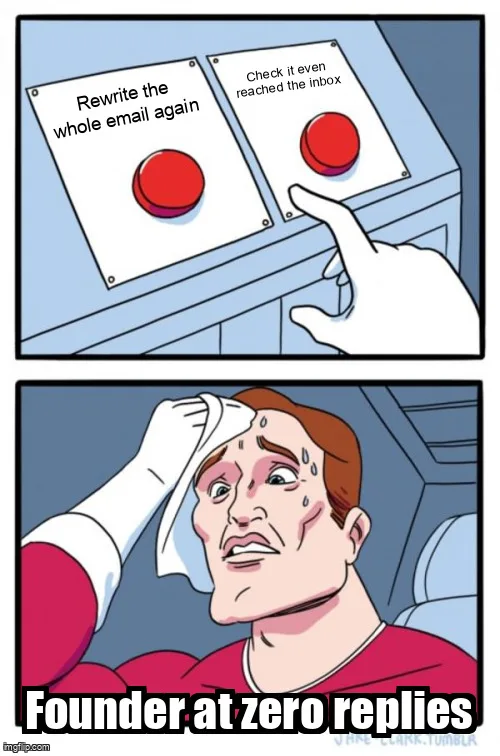
Most cold emails that get no response, or land in spam, fail at one of four checkpoints, in a fixed order: deliverability, the list, the message, or the follow-up. Rewriting the message first is the most common mistake, since a perfectly written email that never reaches the inbox, or reaches the wrong one, gets the same silence as a bad one. Work through the four checks in order first.
Skip a step and you fix the wrong thing first.
Confirm the email reaches an inbox at all before touching a single word of copy.
Confirm the right person, at the right company, has a real reason to care this month.
Confirm the email leads with the reader's problem, stays short, and names why now.
Confirm a silent first email gets at least two more tries with a new angle each time.
Why most cold emails get no response, or land in spam
A cold email that goes unanswered, or never leaves the spam folder, almost always breaks at one of four points, and the four points have an order. Deliverability comes first, because it fails silently: an email stuck in spam gets the exact same zero replies whether the copy inside it is brilliant or lazy. The list comes second, since even a delivered, well-written email gets ignored once it reaches someone with no real reason to care. The message comes third, and the follow-up last, because one good email sent once still underperforms a mediocre sequence sent three times with a new angle each time.
Most advice online skips straight to rewriting the message. That is why so many B2B teams rewrite the same broken email for months without the reply rate moving. Check the first three points before touching a single sentence of copy.
Check 1: Is the email even landing in the inbox?
Deliverability decides whether anyone sees the email at all, and it fails silently: no bounce, no error, no warning, just a reply rate near zero no matter how good the message is. Three things cause almost every deliverability problem.
Authentication: SPF, DKIM and DMARC
SPF, DKIM and DMARC are three DNS records that tell Gmail, Outlook and other providers that an email really comes from the domain it claims to. Miss one, or misconfigure it, and the provider has no way to confirm the sender is legitimate, which pushes the message toward spam by default rather than by exception.
How to test it: send a message to a seed inbox you control, or use Google's own Postmaster Tools if the domain sends through Gmail, and read the authentication result. A pass shows spf=pass, dkim=pass and dmarc=pass; any fail or none is the fix to make first.
The fix: publish the missing SPF or DKIM record with the sending tool's exact values, and add a DMARC record starting at a monitoring-only policy before moving to enforcement. This is a DNS change, not a copywriting one, and it usually takes an afternoon, not a rewrite.
Warm-up and sending volume
A domain or mailbox with no sending history looks exactly like a spammer to Gmail and Outlook, which judge a sender by its pattern, not by a single email. A brand-new mailbox sending 200 emails on day one gets flagged for the volume alone, regardless of what the email says.
How to test it: check the actual daily volume per mailbox against its age. A mailbox under four to six weeks old sending well above a low daily volume, something closer to five to ten emails a day at the very start according to most deliverability guides, including Instantly's 2026 deliverability guide, is very likely the cause.
The fix: warm up every new mailbox for four to six weeks, starting low and increasing gradually only once inbox placement holds, and keep warm-up running between campaigns rather than switching it off.
Separate sending domains
Sending cold email from the same domain as the company's main inbox risks the whole domain's reputation, not just the campaign. One spam complaint on a cold send can start affecting invoices and client replies on that exact same domain.
How to test it: check whether cold email sends from the primary domain, the one on the website and in client correspondence, or from a dedicated sending domain set up only for outbound.
The fix: buy one or more look-alike domains dedicated to sending only, point them at the same inbox the team already works from, and never cold-email from the domain the business depends on for everything else.
Check 2: Are you emailing the right people?
Wrong people
A delivered email to the wrong person gets the same silence as an undelivered one, just for a different reason: the reader has no authority, no budget and no real reason to engage with an offer that was never meant for them.
How to test it: pull twenty recent sends and check, person by person, whether each one can actually buy or influence the decision described in the email. A list built from a job-title search alone, with no check on real decision rights, often fails this test for a large share of the names on it.
The fix: define the ideal customer profile from closed deals, not a workshop guess, and filter the list against it before writing a single line.
No signal
Even the right person ignores an email with no reason to read it today. A signal is a recent hire, a funding round, a tool change or a job posting. A list with no signal attached forces every email to open with a generic line that could apply to five hundred other companies just as well.
How to test it: check whether the first line of the email is true only for this company this month, or whether it could be copy-pasted onto a competitor's name with zero changes. If it could, there is no real signal behind it.
The fix: build the list around intent signals instead of a static directory pull, so the opening line has something real to point at.
Check 3: Is the message the problem?
Once deliverability and the list are confirmed, the message is worth examining, but not before. The three failures below cover most of what goes wrong once an email actually reaches the right inbox.
About you, not them
An email that opens with the sender's company name, history or mission reads as a pitch within the first line, and a decision-maker scanning an unknown sender in two or three seconds deletes a pitch on sight.
How to test it: read only the first sentence out loud. If it names the sender's company before the reader's problem, it fails.
The fix: open on the reader's situation, never the sender's. The full five-part structure (trigger, problem, proof, ask, sign-off) is covered in how to structure a cold email that gets replies.
Too long
A long email asks for more attention than a stranger owes a stranger, and every extra sentence past the point is a new chance for the reader to decide to deal with it later, which usually means never.
How to test it: read the email on a phone. If the ask sits below the first screen, most readers stop before they reach it.
The fix: cut to one trigger line, one problem line, one proof point and one ask, nothing else.
No reason to act now
An email with no urgency competes with everything else in the inbox for a reply that can always happen later. Nothing in the message tells the reader why this week specifically matters.
How to test it: remove the date-sensitive detail, the trigger, and read the email again. If it reads exactly the same without it, there is no real urgency in the message.
The fix: tie the ask to the trigger that justified the email in the first place, so ignoring it has a cost the reader can picture.
Check 4: Are you following up at all?
A single email, sent once, underperforms a short sequence even when the first email is well written, because most replies do not come from the first message. A reader who is interested but busy on day one often needs a second or third nudge before acting on it.
How to test it: check how many of the last fifty sends got a second touch. If most prospects received exactly one email and nothing after it, the sequence is the gap, not the copy.
The fix: plan three to five follow-ups, spaced a few days apart, each adding a new angle rather than repeating "just checking in", which adds no new reason to reply. A new angle can be a different proof point, a different trigger or a shorter ask.
The four checks, side by side
| Check | What it looks like when it fails | Quick test | Fix |
|---|---|---|---|
| Deliverability | Replies near zero no matter what the email says | Read the authentication result on a seed inbox | Publish SPF, DKIM, DMARC; warm up; separate sending domains |
| The list | Opens happen, nobody engages | Check twenty recent sends for real decision rights and a real signal | Rebuild the list from the ICP and intent signals |
| The message | Opens happen, no replies, no spam flags | Read the first sentence; count the words; remove the trigger line | Lead with the reader's problem, cut length, tie the ask to the trigger |
| The follow-up | One good email, then silence after no reply | Check how many sends got a second touch | Three to five follow-ups, each with a new angle |
Common mistakes
- Rewriting the message before confirming the email was even delivered, which fixes nothing if the real problem is a missing DKIM record.
- Buying a list and sending the same week, with no warm-up period for the sending domain.
- Treating one quiet week as proof the whole approach failed, instead of checking which of the four points actually broke.
- Sending a single follow-up that only repeats the first email, instead of adding a new angle.
- Fixing deliverability once and never checking it again, even as volume grows and a mailbox's reputation can slip months later.
FAQ
Why do cold emails get no response even when the list is good?
Because a good list only removes one of four possible failures. A good list sent from an unauthenticated domain still lands in spam, and a good list paired with a self-centered, generic message still gets ignored once it reaches the inbox.
How do I know if my cold email is going to spam?
Send a copy to a seed inbox you control, not your usual recipient, and read the authentication result, or check whether open rates across a whole campaign sit far below what a similar list and message should produce. A healthy campaign has measurable opens; one landing in spam almost never does.
Can a brand-new domain send cold email safely?
Not immediately. A domain under four to six weeks old has no sending history for providers to judge it by, so even a well-written email from it is more likely to be filtered. Warm it up gradually before sending any real volume.
Does fixing deliverability guarantee more replies?
No, it only removes the silent failure. A deliverability fix gets the email into the inbox; whether it gets a reply still depends on the list and the message underneath it.
Is cold email dead in 2026?
No. Replies dropped for senders who skipped the checks above, not for the channel itself. A B2B SME that checks deliverability, builds the list on a real signal, and writes a short, reader-first message still gets replies the same way it did before.
Running through these four checks tells you exactly where an existing campaign is leaking, but it will not build the list, the signal or the message from scratch. That is what our acquisition system does for B2B SMEs still relying on one channel or a referral trickle. If you want a faster read on where your own outbound stands today, our free 4-minute diagnostic scores it in minutes.